The success of your SEO strategies does not rely on the SEO services in Singapore alone. The expertise, transparency, and consistency of the SEO vendors matter as well.
Step up your business’s SEO marketing strategies by choosing the right SEO agency in Singapore. Learn about the tips for finding established SEO vendors.
SINGAPORE, SINGAPORE, September 8, 2022 /EINPresswire.com/ — Search engine optimisation or SEO services in Singapore have been effective tools to ramp up a business’s digital marketing, but reaping the benefits of SEO is not easy.
A seasoned SEO company knows that consistency and adaptability are only a few of the many top qualities an SEO agency in Singapore should possess to keep up with the ever-changing digital marketing environment.
𝗪𝗵𝗮𝘁 𝗱𝗼𝗲𝘀 𝗮𝗻 𝗦𝗘𝗢 𝗰𝗼𝗺𝗽𝗮𝗻𝘆 𝗱𝗼?
Search engine optimisation (SEO) is a process of optimising a website and webpage content to rank higher on search engines, such as Google and Bing, organically.
SEO vendors make this happen through several strategies, including utilising and targeting relevant and long-tailed keywords, producing high-quality and in-depth web content, and ensuring user-friendly website design. These broad strategies can be broken down into smaller and complicated tasks and services of an SEO company in Singapore.
𝗦𝗘𝗢 𝗦𝗲𝗿𝘃𝗶𝗰𝗲𝘀
SEO services can be divided into three categories:
– Technical SEO
– On-page SEO
– Off-page SEO
Technical SEO is the process of optimising the technical characteristics of the website. To improve technical SEO, an SEO agency must keep in mind:
• SSL certificate of the website
• Mobile-friendliness of the website
• Loading speed
• XML Sitemap
• Site structure
On-page SEO is the process of optimising the content of the website. To improve on-page SEO, an SEO marketing agency in Singapore must keep in mind:
• Keyword research and use
• High-quality and trustworthy content
• Page URLs
• Internal linking
• Title tag optimisation
• Meta tag optimisation
• Image tag optimisation
Off-page SEO is all the SEO strategies an SEO agency in Singapore uses outside the website to improve its search engine rankings. To improve off-page SEO, the SEO vendors must keep in mind:
• Link Building
• Content Marketing
• Social Media Marketing
• Video Marketing
• Podcasts
• Reviews
Each SEO package combines different SEO services under these three categories. The SEO agency will design or customise SEO packages in Singapore depending on the needs or goals of the client.
𝗦𝗘𝗢 𝗣𝗿𝗶𝗰𝗶𝗻𝗴 𝗶𝗻 𝗦𝗶𝗻𝗴𝗮𝗽𝗼𝗿𝗲
An SEO company in Singapore usually offers SEO services in packages. Each package contains various sets of SEO services with varying prices.
1. Freelance or Mid-level SEO Services Package
The starting monthly cost of SGD 200 to SGD400.
This package may include the following SEO services:
• Keyword research and use
• Title tag optimisation
• Meta tag optimisation
• Image tag optimisation
• Internal linking
2. Basic SEO Services Package in Singapore
The starting monthly cost of SGD 400 to SGD 700.
This package may include the following SEO services:
• Preliminary assessment
• Competition analysis
• Keyword research and use
• Content optimisation and SEO copywriting
• Content optimisation and distribution
• On-site optimisation
• Internal and external linking
• SEO audit reporting
3. Advanced or Enterprise-level SEO Services Package
The starting monthly cost is more than SGD 700.
This package may include all the services enclosed in mid-level and basic SEO packages. In addition to these inclusions are the following services:
Paying for SEO packages is a huge investment, so picking the right SEO consultant in Singapore is critical.
Here are some tips for choosing the right SEO company in Singapore:
1. Identify your goals
The business must outline its needs to identify its goals. For example, if the company has an issue with staggeringly high bounce rates, its objective will be to improve the website’s navigation, load speed, and content. Enhancing these elements will reduce bounce rates and eventually increase the conversion rates.
After identifying the goal, the business can choose which SEO company in Singapore provides services that can meet the goal.
2. Consider the experience and expertise
Most businesses consider the SEO services pricing in Singapore more than the expertise and experience of the company, but expertise, knowledge, transparency, and experience of the SEO agency make SEO services more effective, which is more worthwhile in the long-run.
3. Success
The agency’s past success is businesses’ rule of thumb when choosing the best SEO company in Singapore. Awards, positive client reviews, portfolios, and case studies are proof of success. But what do these awards and praises tell?
To build credibility in the industry, one must be competent in giving products and services and truthful with their clients. They are also accountable for their actions and have strong moral principles.
4. Avoid guarantees
SEO tactics don’t bear immediate and guaranteed results. The success of SEO strategies depends on the competition, inbound links, and content.
The competition gets tougher every day as millions of content gets uploaded on the internet. The volume of high-quality and low-quality links and originality and credibility content production impact the search engine rankings.
A Singapore SEO company that gives guarantees is bound to use black hat SEO tactics or unethical SEO practice, including stuffing irrelevant keywords, misleading URL redirects, and spamming links to the blog’s comment section.
5. KPI metrics
Key performance indicators help monitor the progress of the strategies. The KPI monitors organic traffic, search ranking, visibility, organic click-through rate, bounce rate, session duration, domain authority, and so on.
Most SEO companies use tools such as Google Analytics to monitor whether or not the regular and local SEO services are meeting the client’s goals.
𝗔𝗯𝗼𝘂𝘁 𝗢𝗢𝗺
Founded in 2006, OOm has been one of Singapore’s leading e-commerce and digital marketing agencies. OOm is also a pre-approved PSG vendor committed to helping small and medium enterprises to start and ramp up their digital marketing and e-commerce journey.
OOm’s international perspective helps it to continue improving its e-commerce, digital marketing, and SEO services in Singapore.
Implementing search engine optimization (SEO) techniques is crucial to ranking high on Google and other search engines so you can drive traffic, expand your brand’s reach, increase sales, and more. But, since more users are accessing the web on their smartphones more than ever, mobile SEO is just as essential as its traditional counterpart.
Today, we will explain what mobile SEO is and how it differs from traditional SEO, plus reveal some of its best practices and tools for implementation.
You can learn more about traditional SEO techniques by reading the following digital marketing guides:
What Is Mobile SEO?
Mobile SEO is the process of optimizing your website and ensuring it provides a solid user experience for visitors who view it through their smartphones or tablets. In short, you want your site to look, and perform, well on smaller devices, just as if it was being viewed on a laptop or desktop. By making your site mobile-friendly and optimized, you can gain better placement in the search engine results pages (SERPs). This can result in greater visibility, more visitors to your site, and increased sales and conversions, plus other benefits.
Why is Mobile SEO Important?
The primary reason why mobile SEO is so important is the significant shift towards web usage on smartphones and tablets. According to StatCounter, mobile usage took 58 percent of the market share in 2021. It looks to continue its domination over desktops well into the future as people increase their need to access information on the go. While standard SEO is crucial, you must ensure your site is optimized for mobile, since statistics show that at least half of your potential visitors will probably come from that source.
Another reason behind mobile SEO’s importance is Google. The tech giant is easily number one in the search engine landscape. Need proof? In April 2022, SimilarWeb found that Google accounted for nearly 94 percent of the mobile search engine market. In other words, most of your mobile SEO efforts should be aimed at ranking high on Google, and since the search engine switched to a mobile-first index, that indicates that you need to target smartphone and tablet users most. What is mobile-first indexing? It is using a page’s mobile content instead of its desktop version to determine search engine ranking.
Voice search is another area where the importance of mobile SEO is on display. Mobile search is on the rise, and voice search is not far behind. What makes voice search so appealing to users? It is convenient and quicker than having to type in a query while staring at your phone. And although voice search can be accessed in a desktop setting, it is much more likely to be used on a smartphone when someone is out and about and needs information quickly. What makes voice search appealing to marketers and business owners? The fact that many businesses are still ignoring voice search despite its growth in popularity. Use mobile SEO to optimize for voice search, and you could grab a significant piece of a relatively untapped market.
What about sales? Mobile SEO can also boost them greatly, as Google found that most users research products and services on their smartphones or tablets before investing their money. And, while it looks like mobile is the preferred environment for pre-sale research, many users are also completing transactions via their on-the-go devices. In 2017, Google found that 40 percent of users preferred completing their entire shopping journey on mobile, from the research stage to making a purchase. Now, you can expect that number to be much higher.
Mobile SEO vs. Traditional SEO
Mobile SEO differs from traditional SEO in several key ways. And, while both are essential to building your brand and boosting your visibility, you should know the main differences between the two, so you can see their importance and work them into a single comprehensive digital marketing strategy.
If you had to pick one area where mobile SEO and traditional SEO differ most, it would have to be location. Users are typically on their mobile phones when seeking local results. For instance, if you are hungry and want to find a place to eat, you will probably look for it while on your phone and in the car versus sitting in your home in front of your laptop or desktop computer. Google can tell what type of device you are using to search, and in doing so, it can tweak its search engine results for optimal accuracy.
How can Google tell where you are to provide accurate local results? By using the GPS data on your mobile device. Search engines can see such data and use it to give the exact results you want without doing too much manual research. Desktop devices also have location monitoring, but are seen as less relevant than mobile in this regard. In short, if you are using a mobile device to search for something, your location will probably have a bigger impact on the results you see compared to if you were on a desktop.
Here is an example of how your location can determine your search engine results. Imagine you are planning a trip to Paris from your home in New York City. You want to make a list of must-see restaurants in Paris while using your laptop. The results you will get will differ from those if you performed the same search on your smartphone while in Paris, as the second scenario would likely be a lot more location-intensive.
The same holds true with pay-per-click (PPC) ads. Google uses your current location to decide which ads to show. If you are using your laptop at home, you will probably see the same range of ads repeatedly. But if you are on the road and using your smartphone, you will likely see different ads as your location varies. You can learn more about PPC by reading our guide What is Paid Search?
Your location is just one way in which mobile and traditional SEO differ. Another is screen size. The size of your smartphone or tablet’s display can determine what SERP layout you see after inputting a query. Search engines have various SERP layouts that depend on your device’s model, so the results you see on your smartphone could look different from those on your desktop.
What you see on one smartphone could differ from another model. As for the search queries themselves, Google can fit them all regardless of what device you are using.
Your device’s operating system is another example of how mobile and traditional SEO differ. If you are targeting keywords related to mobile applications, you will need to focus on mobile SEO since Google will detect the device’s OS so it can show the most relevant results. For instance, if a user is searching for an app on Google via their Android device, the search engine will show the app packs that are Android-compatible versus ones for iOS. If this was not the case, the Android user could be overwhelmed with irrelevant results that are not compatible with their device. Will you see such app packs when browsing on a desktop? Probably not since device operating systems only impact mobile search results since many apps are not desktop-friendly.
Want to understand more about local SEO and its best practices? Check out our ultimate guide to Local SEO Tips for Web Developers.
Is Your Site Mobile-Friendly?
Before we jump into mobile SEO best practices, let us discuss how you can first check if your site is mobile-friendly. Doing so will let you know where you stand so you see how much work needs to be done.
There are plenty of SEO tools that can help you determine your site’s mobile-friendliness. Two come from Google.
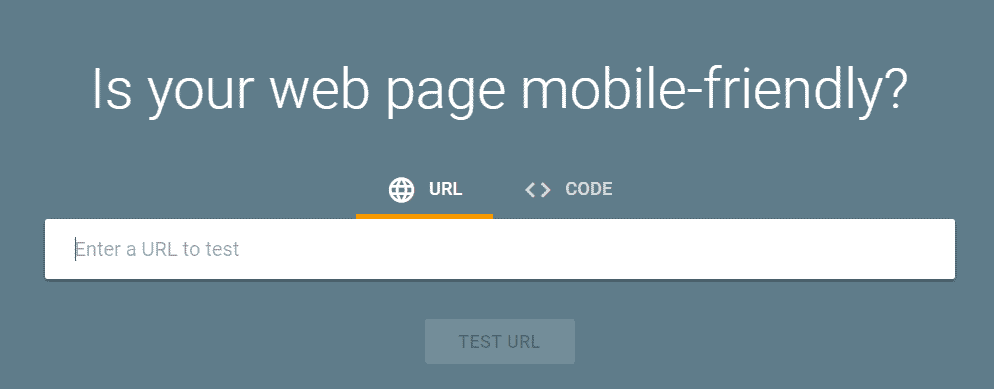
Up first is the Mobile-Friendly Test. It asks the very simple question of “Is your web page mobile-friendly?” To find out, enter your URL or paste code to test. Doing so will help you see how easily a user can access your page on a mobile device.
The results will tell if your page is mobile-friendly and detail any issues that need to be fixed. From there, you can tackle each issue until your page is where it should be in terms of mobile-friendliness.
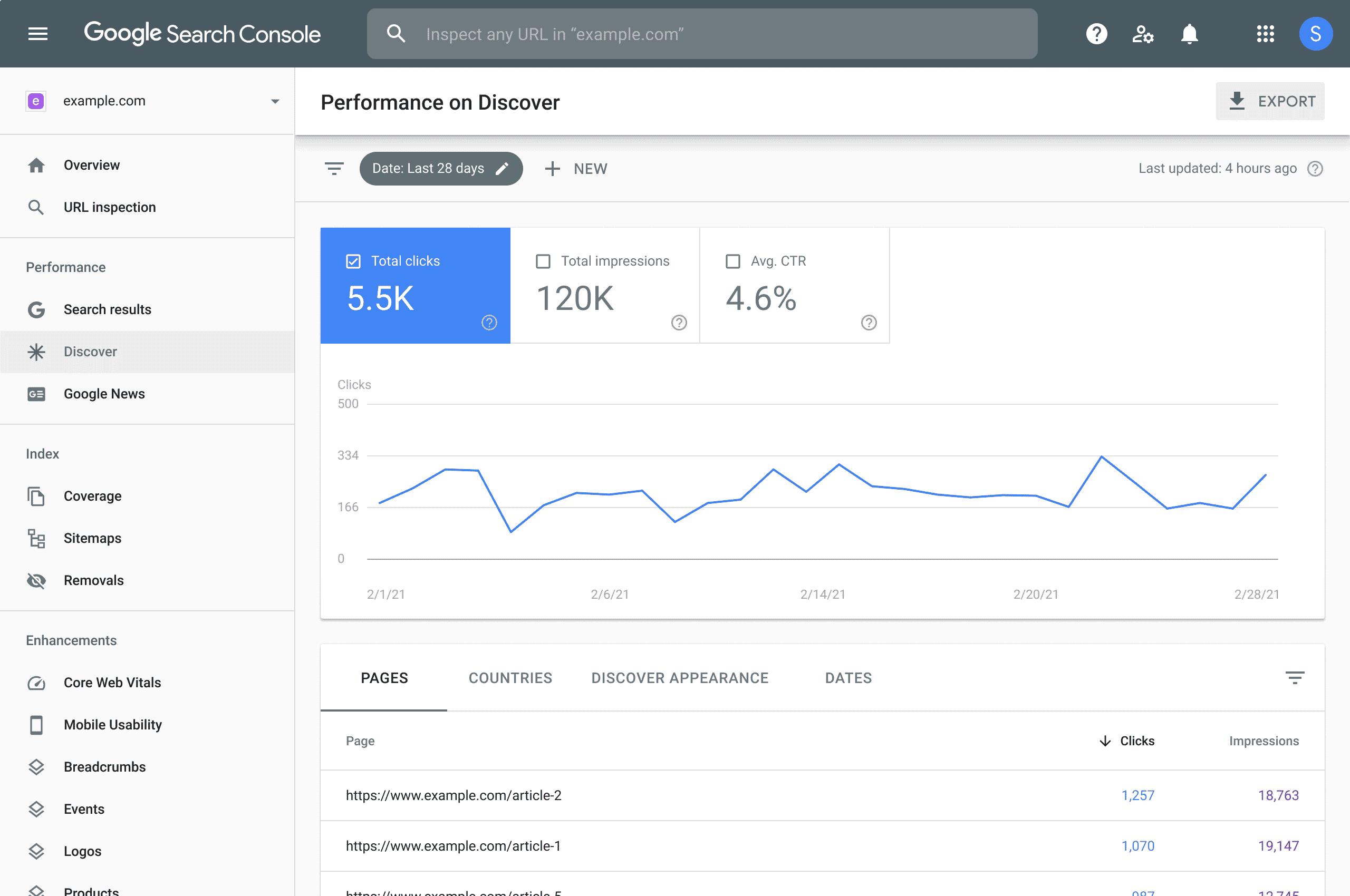
A second way to test your site’s mobile-friendliness is through the Google Mobile Usability report. It shows you which pages on your site have usability issues when viewed on smartphones and tablets. You can see all of the pages with mobile problems through the top level view, and you can dive deeper into those issues to see how to fix them. You will need to go into your Google Search Console account to access the Mobile Usability report. Like the Mobile-Friendly test, it is free.
Looking for other search engine optimization tools? Check out our list of Best SEO Software and Tools (Paid and Free).
Mobile SEO Best Practices
Now that you know why mobile SEO is important and how it differs from traditional SEO, here are some of its best practices you can follow to give your smartphone and tablet users a positive experience and enhance your placement in the SERPs.
User Experience for Mobile SEO
In 2020, Google stressed the importance of page experience as a ranking factor. Through great page experiences, visitors can engage more and accomplish what they intended to do. On the flip side, negative page experiences can lead to lost time, frustration, and the need to continue searching for the information they seek. Create a solid page experience for your users on mobile, and they will likely keep coming back to your site. And in the process, Google will reward you for it with a better ranking.
How can you improve your page experience for mobile users? You can start by making sure that your content is easily readable, regardless of the device that is being used. If someone cannot decipher what they are looking at on their screen, they will bounce off your site quite quickly. To ensure optimal readability, do the following:
Use high-contrast text so visitors can see it easily despite any changes in environmental lighting.
Implement negative space between page elements and text for better readability.
Avoid long paragraphs or walls of text. Use shorter paragraphs that span 2-3 lines so readers can easily scan and absorb the content.
Use a 15px or 16px font size. You may also want to use a bolder font that is easier to pick up on smaller screens.
While your text should be readable, your mobile site should also be scrollable. Can a visitor easily scroll through your site and click on links or elements using their thumb? If not, adjust for a more thumb-friendly design.
What about navigation? It is another essential part of the mobile user experience, and your user should feel comfortable when navigating your site on their smartphones or tablets, just as they would if on a laptop or desktop. In going back to the thumb-friendly design, you will need to space your clickable elements so someone does not accidentally click on a link. This can happen if your clickable elements are too close together. Beyond offering sufficient spacing, also make sure that anything to be clicked is not too compact. If it is, people with larger digits could have trouble getting to their intended destination.
Speaking of clickable elements, you cannot forget your calls to action (CTAs). They are essential for conversions, as CTAs entice the user to take a desired action, such as making a purchase. Your calls to action should be easily noticeable and easy to click. If not, do not be surprised if your conversions suffer.
Another important part of the mobile user experience is the proper implementation of forms and fields. It can be more difficult to fill in forms on a smaller device, so only ask for essential information. The fewer form fields you have, the better. Other ways to make your forms and fields mobile-friendly is to use placeholder text, discard dropdown menus, and denote any fields that are optional.
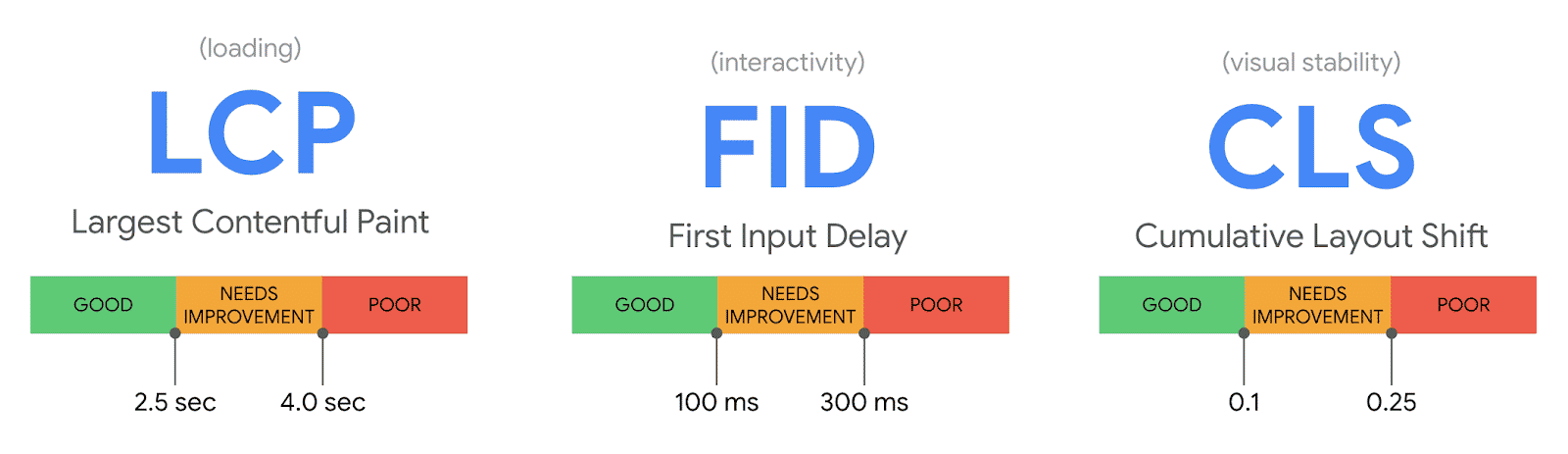
We have two great articles discussing Google’s Core Web Vitals that can help you ensure your users are getting the best user experience possible: Google Web Vitals for Beginners and Core Web Vitals Tips are both great places to get started.
Page Speed
According to past Google research, just a one second delay in mobile load time can impact conversions by 20 percent. And if your page speed is extremely slow, it can lead to a customer bouncing from your site and directly to a competitor’s. In short, your mobile page’s speed is highly important and must be optimized to ensure customer satisfaction and higher rankings. And besides that statistic that shows the importance of page speed as it pertains to customers and conversions, it is also crucial in Google’s eyes since it is a ranking factor.
How can you see if your mobile site speed is up to snuff? One handy tool is Google’s PageSpeed Insights. It can tell you where your speed stand, but more importantly, suggest why it could be running slow and what you could do to fix it. Can you use other tools to test your site speed? Absolutely, but PageSpeed Insights is a great place to start since the tool comes from Google itself.
Beyond using PageSpeed Insights to check your site speed, you can also do the following for faster mobile pages:
Take a close look at your plugins and website extensions. Only keep the ones you need, as excessive plugins can slow down your site. To see if any plugins or extensions are bogging you down, run tests with and without them running to see if there is a difference.
One place where you should not try to skimp on costs is with your website hosting provider since you need minimal server response time, and the web host plays a big part in that. Research web hosting providers and pick one that minimizes lethargic performance and slow server response times. If you do not and aim for the cheapest provider, you will probably have to upgrade later on anyway once you notice your site’s performance and ranking taking a hit. We have a great list of the Best Web Hosting Providers that can help you choose the best web host for your website.
Many visitors love to see videos on sites, as it lets them absorb info in the background without having to dedicate time to reading content. However, if not properly implemented, video can slow down your site significantly. To avoid slow speeds due to video issues, replace animated GIFs with videos. Embed video and animated content with HTML5, and avoid loading video content with Flash. We have some great tips for video SEO in our tutorial: YouTube SEO Guide.
Videos can keep your customers happy, and so can images. But like videos, images can slow down your site if not properly implemented. We discuss how to optimize images for mobile SEO in a separate section below.
Do not overdo it with redirects. They can help in certain situations, but too many of them will slow down your site.
Use HTTP caching, as it can greatly increase site speed for your return visitors. With caching, browsers save page resources for first-time visitors. The next time they come to your site, they will not have to wait as long for your page to load, as all of the CSS, test, scripts, images, etc. will be saved and ready to go.
Check out our tutorial on How to Optimize Your Website Performance for more tips on how to improve website speed.
CSS and JavaScript Considerations
You want to make sure that
your website’s code is up to snuff and free of any flaws. Your CSS, HTML, and JavaScript must be optimized and compressed to achieve maximum performance. Several tools can help you achieve this “minification” goal to minimize code and markup in your pages. Google recommends the following:
Images and Mobile SEO
A fast website will be tough to achieve without image optimization. And, since images can take up a ton of disk space and bandwidth, you will need them to be compressed if you do not want your site and the user experience to suffer. How much can your site suffer if it loads slow due to non-optimized images and other factors? Incredibly, as Think With Google found that if a mobile site takes longer than three seconds to load, it will make 53 percent of visitors head elsewhere.
Besides being compressed, you want your images to be responsive so they can automatically scale with the device’s size whether the user is on mobile or desktop. You also want them to be clear on every device.
How can you achieve all of these goals? You could begin by compressing your images to their optimal sizes either manually or with a plugin like Imagify. You could also serve responsive images with proper dimensions and use the Google WebP image format. WebP will make your images smaller and lightweight, but they will also appear richer while speeding up your site. Statistics show that by using WebP, you can save 25 percent or more storage than if you used the PNG or JPEG formats.
Lazy loading is another way to accelerate your mobile page speed via optimized images. It does this by delaying the loading of large elements such as images until they are needed when browsing on a mobile device. You can implement lazy loading via a free or premium plugin. If you have a WordPress site, Lazy Load by WP Rocket, Autoptimize, and Optimole are three free examples.
If you want to save up to 80 percent in image file size to optimize your site’s speed, consider a CDN or content delivery network. Many consider CDNs a must on mobile since they create a shorter connection distance between the original server and the user. Thanks to the shorter connection distance from the CDN, you can enjoy decreased latency and faster load times.
As technology advances, you may forget that some users are still on slower connections. You should keep any potential 3G users in mind and create smaller images for such situations as slow connections can lead to frustrating load times, especially when pictures are involved. For 3G users, compress the images and use lazy loading for any pics below the fold.
Learn all about Technical SEO and how it can improve your site’s ranking in the SERPs.
Meta Data, Titles, and Tags
Due to the smaller screen sizes, mobile searches display less info than their desktop counterparts, as there is not as much room to do so. As such, you must optimize your meta data, meta titles, and meta description tags for mobile by putting all the essential info and keywords towards the front so nothing critical gets cut off.
We have a great guide on SEO Headers: Best Practices and Tips.
Structured Data
Google will have an easier time understanding what type of content you have on your mobile site if you use schema markup aka structured data. It is code that is the language of search engines and can result in better placement in the SERPs.
Mobile Responsive Design
Google slowly but surely showed the development world that mobile was going to be a huge factor in its ranking algorithm. It all started in 2015 when Google launched a mobile-friendly algorithm.
In May 2020, it launched a huge user experience update containing new metrics for responsiveness, speed, and visual stability. Then, two months later in July 2020, Google made mobile-first indexing official.
After all of these announcements, it became quite clear that your search engine rankings will not reach their potential if you are not stressing mobile responsiveness when creating your sites. Luckily, you have three options to do so, with the first being responsive design.
What is responsive design? It is a mobile setup where the same HTML code gets sent to all devices via one URL address. From there, the content adapts to the width of the user’s screen thanks to pre-defined breakpoints and fluid grids. If the page’s rendering needs to be altered according to the target device, the CSS code will do so.
If implemented, responsive design is automatically recognized by Google’s algorithm when the Googlebot crawls the page and all of its CSS and JavaScript assets, plus images.
Using responsive web design offers several benefits that may lead you to choose it over the other two options, which are to set up a separate mobile site or use dynamic serving. Perhaps the biggest benefit of mobile responsive design is that it is less costly and quicker to develop and maintain. It uses just one URL for all devices, and takes less work to optimize for search engines. Responsive design is also more accessible since you do not have to worry about URL redirection or device detection.
While it offers many benefits, mobile responsive design has its downsides. When it comes to user experience, responsive design offers less flexibility. If you do not plan its implementation carefully, you could fall short when trying to optimize your mobile and desktop sites. Responsive design often results in slower page load speeds, and it could result in data bloating that causes your users to download unnecessary info.
What Is Dynamic Serving?
Another option for mobile responsiveness is dynamic serving. With this method, the user’s device gets detected and redirected at the server level, and your site will feature different CSS and HTML codes on the same URL.
Dynamic serving can be implemented in two ways: Unidirectional redirecting and bidirectional redirecting. Unidirectional redirecting has a site’s links set to the desktop version by default. If a user on a mobile device tries to access the site, they will get redirected from the desktop version to the mobile one. Bidirectional redirecting employs adaptive content and has code on desktop and mobile sites. So, no matter what device the user has, they will get the information they need.
The benefits of dynamic serving are numerous. Its faster and easier for SEO and offers a completely personalized user experience since its layouts can serve a wide variety of devices. Page load speed is faster with dynamic serving, plus it is easier to adjust if you want to leave everything the same and only tweak data for a specific screen size. Complex annotations are not necessary with dynamic serving, and users will experience less confusion due to the use of a single URL. Lastly, dynamic serving offers tons of flexibility when creating landing pages for devices of all shapes and sizes, from tiny smartphones to larger tablets and massive smart TVs.
What are the downsides to dynamic serving? It can cost a lot to implement and maintain, as you will need a knowledgeable IT staff on hand to manage any content changes and source code requirements.
Dedicated Mobile Websites
Besides responsive design and dynamic serving, you could also create a dedicated mobile website to appease your smartphone and tablet visitors. With this setup, you would create a separate domain solely for your mobile traffic, which would likely feature the exact same content on different URLs.
Some say creating a dedicated site is similar to dynamic serving since both employ developing content strictly for mobile devices. They are not the same, however, since dedicated mobile sites do not use redirection at the server level due to having distinct URLs.
You have probably come across dedicated mobile sites while browsing the web, as they have similar URLs to the desktop versions but with minor tweaks. And those tweaks are what determine the type of content that should be displayed according to the user’s device.
For example, you could use the following to denote a dedicated mobile site:
Mobile subdomain: m.site.com
Different domain: site.mobi
Subfolder: site.com/mobile
While in different formats, all serve the same purpose, which is to display mobile content.
Why create a dedicate mobile website? In terms of SEO, it gives you a better chance to rank higher in local searches. You can also provide a better user experience if you specifically optimize the site for mobile devices. Dedicated sites often have faster page speeds, offer easier access, and give you more options in terms of navigation, content, page copy, etc. you can provide. Plus, there is no need for backward compatibility when dealing with older desktop browsers.
Is creating a dedicated mobile site your best choice? Not if you are working with a limited budget, as it costs more to implement and maintain. And unless you do it yourself, you will have to pay others to handle the extra marketing and SEO efforts. Responsiveness will still be an issue due to tons of mobile devices with varying display sizes and resolutions. And lastly, a dedicated mobile site could present problems with cross-linking between different platforms and user redirecting.
Now that we have gone over the three options for mobile responsiveness, which is best? If you are going by Google’s standards, you can eliminate dedicated mobile sites right off the bat. Why? Because the company says it is way too difficult to implement and maintain. What is Google’s top pick for mobile-friendliness? Responsive design since it is fast and easy to implement, but in the end, you will have to weigh the pros and cons of each method before picking one, as even Google’s top choice has the major downside of lackluster site performance since it uploads desktop and mobile elements in the same place.
Tools for Mobile SEO
More people are leaning on their smartphones and tablets to browse the web. Combine that fact with Google’s mobile-first indexing, and it is rather obvious that you will need to spend more time implementing mobile SEO practices, if you have not already. What can make your mobile SEO strategy easier to implement? The following mobile SEO tools.
Google Test My Site
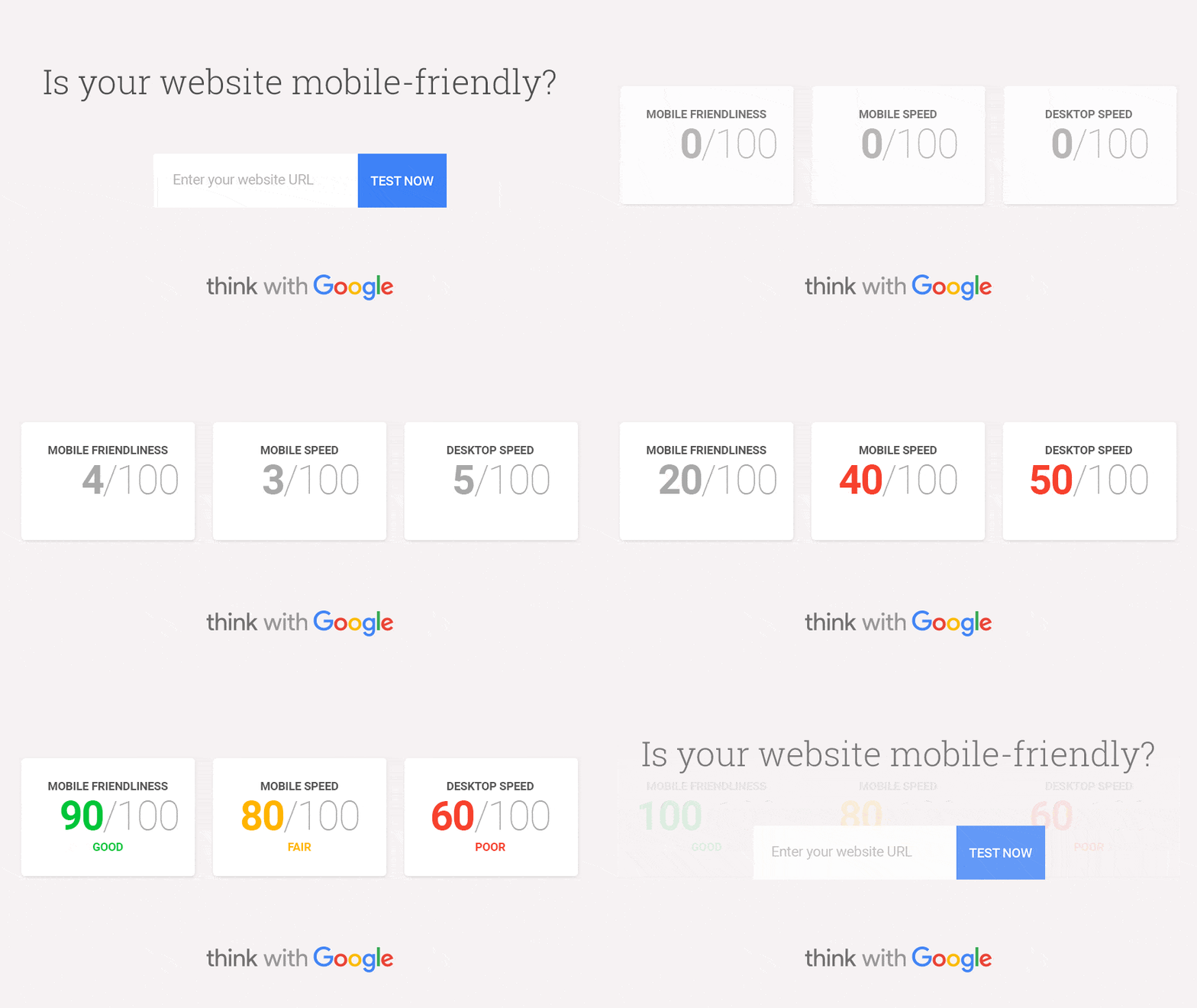
Google Test My Site makes its main function clear on its homepage: “Improve your mobile site to boost your business.” How? By entering your domain URL to see your mobile site speed in your country via a specific connection (like 4G or 3G). You can get a rating on your speed (Good, Needs Improvement, or Poor) and see if it has changed since the last quarter. And if you want to dive deeper to see how to optimize your mobile site, Google will help with a full report featuring a complete list of recommendations.
Google Analytics
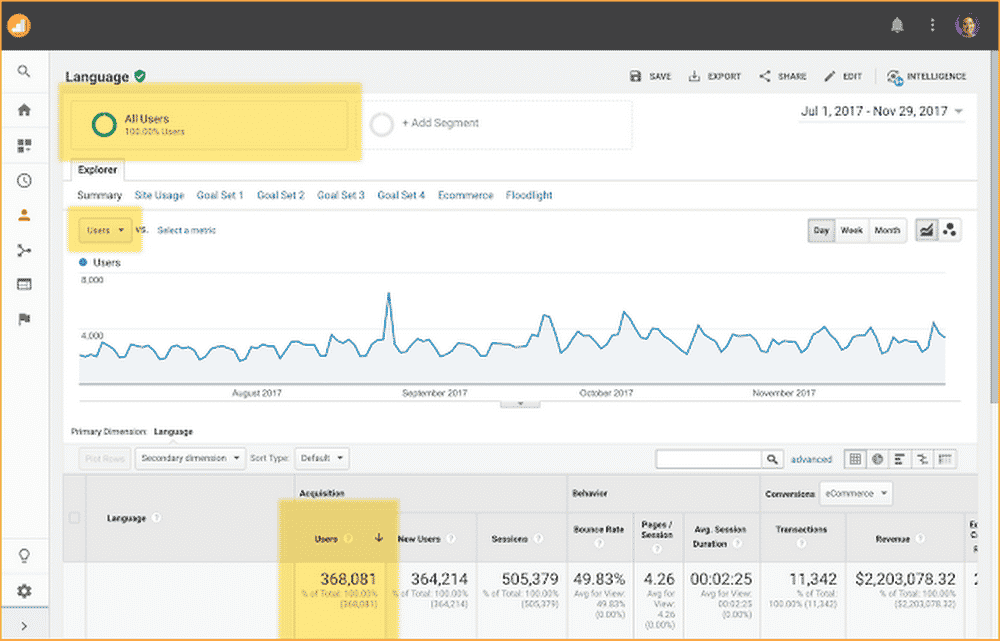
If you want to compare mobile versus desktop traffic for your site, Google Analytics can help. It gives you instant insight into traffic according to device category (desktop, mobile, tablet), bounce rate, and more. And you can use that data to create reports and pie charts to see whether desktop or mobile deserves more of your attention.
Another mobile SEO tool from Google is Mobile-Friendly Test. Enter your URL or a snippet of code to see if it is optimized for mobile visitors. If all is good, the test will reveal that your page is mobile-friendly. If not, it will let you know that the page is not mobile-friendly and why, such as:
Content wider than screen.
Text too small to read.
Clickable elements too close together.
Uses incompatible plugins.
Viewport not set.
Mobile-First Index Checker
Zeo’s Mobile-First Index Checker Tool will let you know within seconds if your pages are ready for mobile-first indexing. The tool works as an on-page SEO tool, plus will show you any differences between your mobile and desktop site in terms of internal links, images, metadata, structured data, etc.
Mobile-First Index Tool
Merkle created the Mobile-First Index Tool. It can tell you if your site is ready for Google’s mobile-first index by comparing your desktop and mobile pages to see if there are any discrepancies between structured data, content, and SEO signals. The tool will also see if your site is mobile-friendly using Google’s API.
Tools for Responsive Design
If you are looking for responsive design tools to make your website mobile-friendly, try the following. Each offers different features that can provide a more enjoyable user experience for mobile users, resulting in an SEO boost to help you land higher in the rankings.
Justinmind
Justinmind is a drag-and-drop responsive design tool for Mac and Windows that lets you create wireframes, highly interactive prototypes, and more without the need for coding.
Wirefy
Web designers and developers can use Wirefy to create fast and manageable wireframes, which help you see what your site will look like, with ease.
FlowType
When designing a site, text if often overlooked by developers. With FlowType, digital marketers can create responsive text to get the optimal character count per line for any screen width.
Adaptive Images
Made for responsive design, Adaptive Images automatically detects user screen size to create, cache, and deliver re-scaled versions of a web page’s embedded images without the need for any markup changes.
Bootstrap
Bootstrap is a frontend toolkit helps you build fast and responsive websites through the use of Sass, a prebuilt grid system and components, and potent JavaScript plugins.
Multi-Device Layout Patterns
If you are trying to figure out the best layout for your site’s content on mobile, give Multi-Device Layout Patterns a try. It has multiple layouts you can test to see which meets your needs.
Stackrole
If you are looking for some free templates to build a mobile site, you will find them via Stackrole.
SEO Tools and Software
Looking for more traditional SEO tools and search engine optimization software? Check out the following guides to different types of digital marketing tools to find the best options for your needs:
London, May 16, 2022 (Globe NEWSWIRE) — Technical search engine optimisation (Search engine marketing) fundamentally forms the foundation of your Search engine optimisation technique – with out it, all attempts fall aside. In short, technological Seo allows your site get crawled and indexed by look for engines, which aids push a lot more targeted visitors to it and maintain people there for lengthier.
To guarantee good results, it’s vital to optimise your web site to not only be rapidly, but also consumer-pleasant and functional. Despite the fact that specialized Search engine optimization isn’t as time-consuming as other ongoing optimisation, i.e., hyperlink building, receiving it mistaken can have a harmful result on your web-site in conditions of research rankings. So, you could check with – what are the rewards of Technical Website positioning? In this post, we talk about some key features, and why they’re vital.
1. It allows obtain improved rankings
Specialized Search engine optimization helps to enhance your website’s position for your target lookup keywords and phrases, encouraging you travel far more targeted visitors to your landing pages. With a crystal clear website composition, Google can plainly index and screen written content proficiently, which will assistance help and increase your organic and natural rankings.
In the exact same vein, Google very favours the enhancement of webpage velocity. By guaranteeing website internet pages load promptly, people internet pages will be favoured a lot bigger than competitor internet sites that have not viewed as web page velocity as a critical rating element. In general, technical Search engine optimisation can aid site conversions, and can aid you establish and resolve any roadblocks that avert people from navigating through the web page and permit us to amend them to achieve the best CRO results.
2. Improves web site pace
Web site pace is viewed as a significant position issue by Google, and to enhance it, technical Search engine optimization is important. A speedy loading web site is much more possible to get a improved lookup position, and possessing a poor undertaking site will only improve the bounce amount, which will consequence in much less conversions.
However, there are other elements that contribute to a lousy accomplishing internet site: visuals that are not perfectly optimised, absence of material compression, pages with way too several CSS image requests, and difficult web page templates with also numerous plugins. By possessing a a lot quicker loading website, you will shoot up in the ranking through Google.
As a result of the implementation of structured information/schema mark-up, we can signal to look for engines in additional depth what a page is about, obtain rankings and expose more properly (as a result of abundant snippets, for instance). In addition, the use of cell is surpassing desktop for browsing look for engines, so having a mobile pleasant, technically sound website will assist support person practical experience on cellular. Google provides clear messages that owning a responsive web-site is an vital position signal by its algorithms, so owning a flexible site is more critical than ever due to Google’s cell-initial approach to indexing facts.
There are a handful of items that can be performed to be certain your web-site hundreds more rapidly. This involves utilizing speedy web hosting, minimising HTTP requests and working with a number of CSS style sheets. Be certain to lower the dimension of your impression files as much as possible, and compress your net pages by getting rid of avoidable spaces, line breaks, or indentations in your HTML, CSS and JavaScript.
3. Allows remove duplicate content
Are you making use of canonical URLs? Canonicalisation is the finest way to eliminate copy information in URL. It’s the procedure of deciding on a favored URL when there are a number of decisions for an individual site. You want to stay clear of replicate content. By way of regular technological audits, we can mitigate threats of duplicate written content.
If you have the similar information on many web pages of your internet site, then the lookup engine will penalise the web page. To prevent duplication, you will need to differentiate a single website page from the other applying the heading tags, title, and meta description.
Distinct URLs can show the similar information owing to complex causes, and you will not even know the problem exists. For a visitor, this doesn’t make any big difference, but for the lookup engine, it will see the identical articles on a unique URL. With the Yoast Search engine marketing plugin, you can quickly established a canonical URL for each individual webpage. And, to make it simpler, Yoast Seo also provides self-referencing canonical one-way links to all your pages. This will help stop replicate articles challenges that you if not may possibly not have been mindful of. There is also a risk that you can have copy material from one more internet site. However, the bots just can’t determine out who plagiarised, so Google will penalise both equally of you.
4. You can set up structured information
Structured details is significant to your web site, in particular in conditions of overall performance. In quick, structured info mark-up is the code you increase to your web page to support look for engines better comprehend the content material. This details can guide research engines in greater indexing your site and providing much more related benefits. Structured info also improves lookup success by giving “rich snippets” for example, structured info could be utilised to add star scores to reviews. For the reason that they are more visually desirable and right away spotlight beneficial data for searchers, these increased final results can enhance your clickthrough price (CTR) and carry extra targeted visitors to your site. It’s value the work to insert structured facts to your site, as internet sites with greater CTRs are usually regarded to be more favoured by lookup engines.
5. Allows identify web page framework challenges
A further important factor to consider is internal one-way links to deep pages. Webpages ought to ideally be no far more than three clicks deep in your web-site. If this is the circumstance, you are going to need to dedicate some effort and hard work to flattening the composition of your web site. It’s as essential as the fact that the deeper a site gets, the significantly less possible it is to be observed by persons or research engines. Internet pages that want a lot more than 3 clicks to obtain will be marked in the issues portion of your website audit report.
In addition, it is critical to validate your XML sitemaps. An XML Sitemap is a file that particulars all of your website’s internet pages and content. It contains the titles, as well as the launch date and the most new update date. When crawling a site, lookup engines could utilise the XML sitemap as a information.
Hopefully this manual has assisted you to have an understanding of the added benefits of technological Search engine optimization. If you will need more personalised guidance, you can get in contact with SEO specialists here.
About The Brains
The Brains is a main electronic internet marketing company in London, targeted on methods that provide unbeatable ROI and long-term organization results. The Brains presents Search engine optimization, content promoting, direct generation and PPC services among many others.
Given that 53{4224f0a76978c4d6828175c7edfc499fc862aa95a2f708cd5006c57745b2aaca} of all website traffic comes from organic search, SaaS SEO is more than just nice to have—it’s an indispensable part of your brand’s digital success
Whether you’re launching a new product or scaling an existing solution, SEO is the key to unlocking massive organic traffic, greater brand awareness, and more product sign-ups
Read this exhaustive guide to set the proper foundation for your strategy. Start by listing down your SEO goals—whether you want to amplify your reach or maximise sign-ups
Whether you’re launching a new product or scaling an existing solution, SEO (Search Engine Optimisation) is the key to unlocking massive organic traffic, greater brand awareness, and more product sign-ups.
But half-baked SEO efforts can do more harm than good.
So, if you truly want to tap into the power of search engine optimisation for your SaaS brand, deep dive into all aspects of SEO in this extensive guide. Let’s get started!
Why Is SEO Important For SaaS?
Canva used a combination of targeted keyword research, scalable landing pages, and personalised backlink outreach to get to an incredible milestone of 270 Mn annual visitors. The SaaS brand also raked in over 4 Mn backlinks and 20 Mn monthly active users.
Canva’s case study shows the success you can achieve with a strong SEO strategy. Let’s look at how exactly SaaS SEO can help you:
Drive Organic Traffic: SEO is about building domain authority to win higher search rankings for your pages. This translates to better discoverability and more organic traffic. When you optimise your pages as per search engine ranking parameters, you can easily attract quality traffic for your industry.
Convert Visitors Into Paying Customers: SaaS SEO can help you optimise your entire marketing funnel and drive conversions through the organic traffic you garner. You can target visitors at multiple touchpoints by effectively distributing your content and gradually turning them into paid users.
Reduce Cost Per Acquisition: Instead of investing extra on pay-per-click ads, SEO brings you conversions (almost) for free. The reduced expense of driving traffic and boosting conversion will eventually minimise your cost per acquisition.
Boost Online Visibility: One of the most significant benefits of SEO for SaaS brands is the added visibility it can produce. An ideal SEO setup puts your product in front of the target audience and generates buzz around it. You can also scale your efforts and gain greater visibility by optimising your pages for more keywords.
Now that you know the difference SEO can bring about, let’s jump to an 11-step roadmap to help you create your SEO strategy.
11-Step Process To Create And Implement A SaaS SEO Plan
SEO can become a key differentiator for you against a stream of competitors. It’s also a proven method to maximise your inbound lead generation, with a 14.6{4224f0a76978c4d6828175c7edfc499fc862aa95a2f708cd5006c57745b2aaca} close rate for leads collected through SEO against a 1.7{4224f0a76978c4d6828175c7edfc499fc862aa95a2f708cd5006c57745b2aaca} close rate for outbound leads.
So, let’s look at the three most essential aspects of SaaS SEO to help you build a killer strategy.
On-Page SEO
By definition, on-page SEO refers to all the tactics implemented within your website. Unlike off-page SEO, you have greater control over your on-page efforts to produce the desired results.
Here’s how you can optimise your website for the search engines:
Perform Extensive Keyword Research
Keyword research is the starting point of any SEO campaign. To gain high search rankings for relevant keywords, you have to create content optimised for these target words.
Follow this process to come up with a list of keywords for your brand:
Identify client pain points and challenges that your product resolves
Ideate seed keywords around these pain points to begin your research
Use keyword research tools like SEMrush to dig deeper into your seed keywords
Prepare a list of keywords that your competitors are ranking for
Shortlist and analyse your final set of keywords for the search intent and volume
Talview is a case in point—optimised for the keyword “AI-powered hiring.” The SaaS brand ranks high on the second page of Google, with multiple blogs published for this high-performing keyword.
Create SEO-Friendly Content
Once you’ve defined the right keywords, the next step is producing rank-ready content for search engines. This includes landing pages, blogs, infographics, and other content formats you wish to publish on your website.
Here’s a checklist of some basic rules for optimising content for SEO:
Meta Details: Incorporate your primary keyword in the meta title and description
Content Structure: Properly divide your content into headings and subheadings and include both primary and secondary keywords across the content
Optimise Images: Use compressed images with a descriptive alt text and file name
Linking: Add relevant internal and external links to make your content authoritative
Take a page out of Chargebee’s book to see these points in action. The brand picked “customer retention” as one of its product-centric keywords and created multiple blogs targeting this keyword. Most of these blog posts rank in the first two search result pages on Google.
Repurpose Existing Content
Content repurposing is when you convert a piece of content from one format to another. For example, you can turn a blog post into a Twitter thread, an Instagram carousel, or a podcast—it’s essentially a remix of the original content to be distributed on various channels.
Here’s an easy roadmap for repurposing content in multiple formats:
Blog post → Medium post → YouTube video → LinkedIn post → Twitter thread → Quora answer
Hotelogix follows this strategy to distribute its blog content on social media channels with a short snippet to maximise traffic.
Repurposing content can expand your reach across different platforms. It can also save your efforts on content planning and creation and create opportunities to reuse your old and forgotten content.
Content Syndication
Content syndication is the practice of publishing the same piece of content on various third-party websites. You’re syndicating your content if you’re posting a blog on your brand website and reposting it on an industry magazine’s site.
Syndication helps you boost SEO authority by:
Building brand awareness among the third-party website’s audience
Increasing referral traffic from the site you’re syndicating to
Boosting results for a CTA (Call To Action) added on the syndicating website, like subscribing to a newsletter
The idea behind content syndication is simple: publish quality content on a reputed third-party website and capture their audience’s attention.
Off-Page SEO
Off-page SEO includes techniques to optimise your presence beyond your website. This aspect of SEO focuses on building domain authority through external channels to win more backlinks.
Let’s look at how you can strategise for off-page SEO and beef up your domain authority score:
Create A Link Building Strategy
You have to gain quality backlinks for your website to build credibility for the search engines. This is where a link-building strategy will come in handy and take you on top of the SERPs (Search Engine Result Pages).
Put simply, link building is the practice of publishing your website links on third-party websites to redirect organic traffic. It also shows search engines that you’re a credible brand since so many other websites link to your site.
Here are a few elements you can include in your link building strategy:
Linked and unlinked brand mentions
Data-driven reports and ebooks
Industry-specific infographics
Product roundups
Remember: you want to build trust among search engines and your audience. So, invest only in white hat link-building practices to generate quality backlinks.
Publish Guest Blogs
Guest posting is a proven and predictable tactic to maximise the number of links for your website. You have to share a post on a third-party website demonstrating your industry expertise and knowledge. This post can include a few links to your website and send visitors to your page while they’re reading the blog.
So, the third-party website can deliver high-quality content to its audience while you get to direct all the traffic to your website organically.
Create Linkable Assets
Another easy way SaaS brands can win backlinks is by producing linkable assets, like ebooks, research reports, podcasts, and images. Remember a rule of thumb while creating these assets: the better your quality, the more backlinks you can earn.
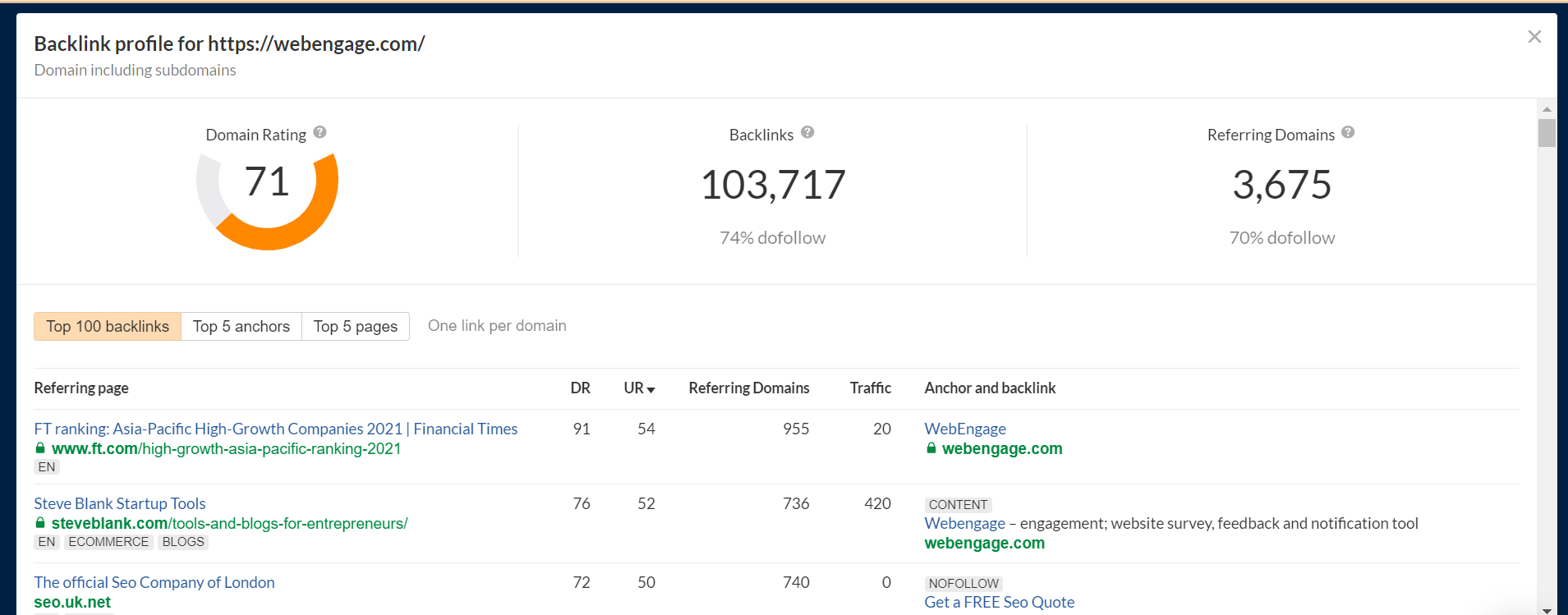
WebEngage, for instance, has a complete directory of ebooks, blogs, podcasts, conferences, and webinars. So, other brands can cite their content and generate a backlink for the SaaS brand.
Given the vast content repository available on WebEngage, the brand enjoys more than 100,000 backlinks from close to 4000 domains!
Post On Q&A Forums
Forum posting is an off-page SEO practice that establishes trust and creates brand recognition among your target audience.
Brands can directly answer their prospects’ questions and capture their interest organically. These answers also create a backlink on the platform where you post an answer. Quora and Reddit are two of the most common channels for forum posting.
A Quora answer by Facilio’s cofounder presents the perfect example. The cofounder posted a detailed answer tackling every aspect of the question and presented a case for his knowledge in the domain.
At the end of his answer, he placed a CTA to visit Facilio and learn more about his venture—simple yet significant.
Technical SEO
Technical SEO is the backend aspect of SEO that ensures a website is aligned with the optimisation parameters of the search engines. It underlines all your SEO efforts in that you can produce the most high-quality content, but it will not rank if your website isn’t good enough for the crawlers.
Here are some of your top priorities to cover under technical SEO:
Simplify Site Structure And Navigation
The first step to kick-starting your technical SEO efforts is designing a clear and robust site structure. The structure dictates how your web pages are placed within your site. A flat structure ensures that crawlers can easily visit and assess all the pages. On the contrary, an unorganised site structure with uncategorised pages can decrease your SEO readiness.
Choose a navigation style before optimising any other part of your website. Then create a consistent URL (Uniform Resource Locator) structure to offer ease of crawling. These two methods will allow search engines to assess your entire website without roadblocks.
Optimise For Crawling And Indexing
Search engines crawl any website to understand its layout and content. This is where they identify broken links or URL errors, which can decrease your SEO score.
Another part linked to crawling is indexing, which measures your site architecture. Crawlers analyse your entire website and linking map to see how a visitor would go through your site to find information.
To ace both these factors, you need to:
Periodically check and correct your URLs
Add redirects to reclaim any lost links
Include a schema markup for the ease of indexing
Incorporate inbound links for redirecting link juice
You can use tools like Screaming Frog to review your website’s crawlability and indexability. Then, make the necessary changes to ensure you’re meeting the crawlers’ parameters.
Boost Page Load Speed
Your website’s loading speed can directly improve or diminish your site’s ranking. A fast-loading website offers a better user experience and meets the SEO criteria for a higher ranking.
Let’s look at a few ways to increase your page load speed:
Reduce the size of your web pages by compressing images and reducing cache
Experiment with your CDN’s set up to test your page load time
Remove any third-party scripts on your website
Power up your search engine rankings by improving your loading time. Alongside backlinking, it’s one of the most crucial SEO tactics to increase your rank.
Start Optimising Your Online Presence
The SaaS industry is becoming bigger than ever each year. SaaS SEO promises impressive results if you want to stand out from the crowd and create a unique brand identity.
Read this exhaustive guide to set the proper foundation for your strategy. Start by listing down your SEO goals—whether you want to amplify your reach or maximise sign-ups. Chalk out a game plan for each of the three aspects of SEO discussed in this guide.
Remember to measure your progress with relevant metrics to iterate your strategy if required.
If you want a thriving business enterprise, you want a web-site. Fortuitously, creating a company web site is substantially easier than several people today consider. You can make a little company web page in a few easy steps.
On-line shopping is a main industry, and which is an understatement. In the U.S. on your own, we’re projected to have 300 million online purchasers by 2023. That is extra than 90{4224f0a76978c4d6828175c7edfc499fc862aa95a2f708cd5006c57745b2aaca} of the complete U.S. population. For any brick-and-mortar retail outlet or organization, owning an on line retailer — or at minimum an on-line existence — is necessary.
The benefit, pace, and accessibility of the Internet make it appealing to individuals, who use it for item buys and product investigation. Your tiny business enterprise web site will aid you bring in and retain shoppers, making a lot more income.
Best of all, creating a web page no more time involves extensive awareness of site enhancement, web style and design, or even coding. You only want to abide by a handful of very simple methods.
The 7 methods to make a website for your small organization:
Opt for a web site builder
Decide on your area name
Come to a decision on a topic or template
Include plug-ins
Build web pages and written content
Test your website and publish
Market and preserve your web page
Things to consider ahead of commencing to make your web-site
Making a web page is a reasonably simple course of action, but it’s significant to get started with a good prepare in brain. Consider your purpose, model id, and funds ahead of starting.
1. What is the primary intent of your internet site?
Like any organization endeavor, your internet site requirements a very clear objective. Will your web site only deliver information about your organization, or will you promote goods? The system of making a internet site varies a little bit relying on your major objective.
Regardless of what the intent of your internet site, it’s necessary to plainly condition what your business enterprise does on the homepage of your web page. Determine your function, then work on drafting a immediate, concise summary of your organization. Consumers require to instantly understand whether you can satisfy their desires.
2. What is your manufacturer id?
Your manufacturer id is the persona and main values or mission of your business. It is a important differentiator that sets you aside from the competition, and it is important to maintain in brain as you construct your internet site.
Consider about your mission as a corporation. Take into account your target viewers and the language, tone, and values that resonate with them. As you make your internet site, consider about components these types of as model voice, messaging, and even a color palette that you’d like to use. For occasion, Coca-Cola’s web-site employs the traditional red-and-white colour plan consumers identify from their products and solutions.
3. What is your funds?
Set your budget prior to you start making your internet site. Recognizing your price range can help you opt for the correct pricing approach, theme, plug-ins, web page protection, and so on. You can also figure out the affordability of hiring a web page designer or developer. But unless of course you have advanced requires for your web-site, paying for additional help is not a should.
How to make a web page for your small business
With the appropriate site builder, building and taking care of your have business enterprise website is much quicker, a lot easier, and reasonably priced than you might think.
1. Opt for a web site builder
When it arrives to web page builders, you have a whole lot of possibilities. Some of our favorites incorporate Wix, Weebly, Squarespace, and WordPress. WordPress is by far the most well-liked, but you must choose the web page builder or content material administration system that’s right for you.
Get started by researching your selections. The guides and assessments joined in the course of this article supply an outstanding starting up stage. Think about usability, customization, integrations, and value. Consider it or not, numerous top-notch material management units are even no cost.
When you have narrowed down your alternatives, demo your favorites. Which feels most intuitive to you? Do your leading choices have all the web page and CMS features you need to have? What about excellent aid? Weigh the professionals and cons of your favorites, then decide on the web page builder that is the most effective in shape for your enterprise.
2. Pick your internet site area identify
The area title is your website’s title and deal with. It’s how clients find you, so opt for some thing small and clear-cut. The greatest domain title for a small business internet site is one particular that matches your business identify.
Following you select a name, purchase it from a domain registrar or as a result of your internet site builder. First, you search the area name to discover whether or not it is currently registered. If not, acquire it! You pay an yearly price for your area title, but it is normally no more than $20.
If your name is taken, you are going to typically acquire a checklist of similar domain names to pick from. Make guaranteed the title you order isn’t as well similar, or you could reduce some web page targeted visitors because of to confusion.
3. Come to a decision on a concept or template
Now it’s time for the enjoyable section of location up a organization site. Themes and templates present your web site with a gorgeous and steady seem, all without having employing a designer.
With most internet site builders, you can filter templates by class. You’ll uncover the two free of charge and compensated selections, lots of with constructed-in options. Uncover a topic or template that satisfies your wants, is quick to use, masses promptly, and adapts easily for cell products. You should really also examine opinions and look at how usually the concept is current.
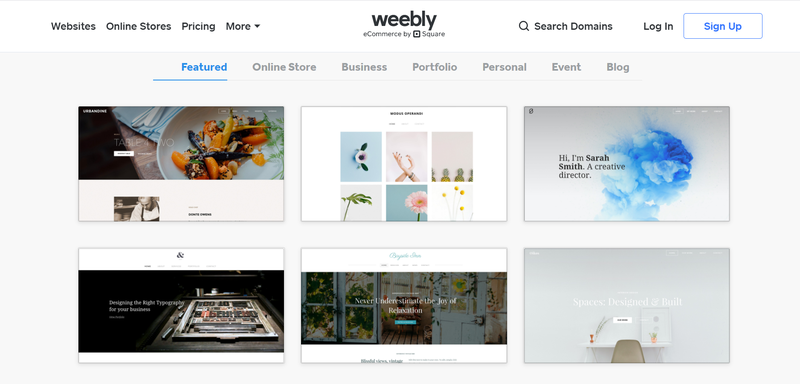
Weebly provides a wide variety of site themes sorted into classes. Graphic supply: Creator
You can install most themes and templates with just 1 simply click. If you’re searching via absolutely free solutions, attempt on a couple right before generating your ultimate decision. After putting in your topic, you may well include customization choices these types of as color and font and upload your symbol. Your web-site builder will wander you by way of the customization course of action step by stage.
4. Add plug-ins
Think of just about just about anything your website needs, and you’ll obtain a plug-in, app, or extension for it. Your website builder will consist of a marketplace for downloading these extensions and incorporating them to your web site. You’ll discover plenty of free possibilities, and you can check out rankings, assessments, and in-depth descriptions.
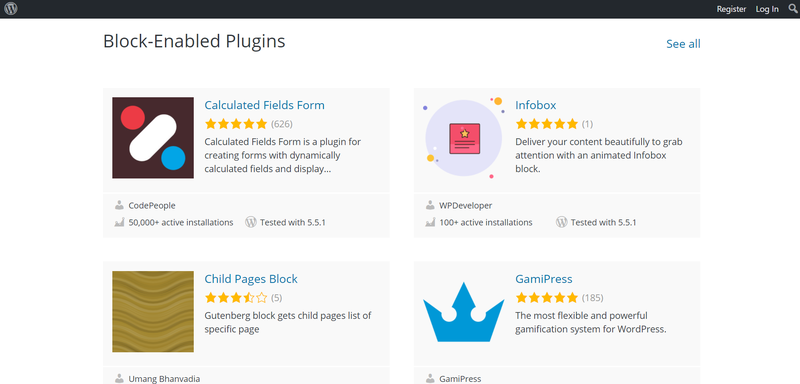
WordPress provides more than 50,000 plug-in options, lots of of them no cost. Image source: Writer
In numerous conditions, you can filter plug-ins and extensions by variety. Web-site builders supply plug-ins for social sharing, analytics, Website positioning, e-commerce, controlling written content, animations, gamifications, and considerably much more.
5. Develop web pages and material
With your template installed and tailored, you are all set to produce pages and information. To get started, you’ll want a easy homepage that succinctly explains what your enterprise does. Don’t forget that most men and women will look through or immediately scroll through your web pages. Spotlight only the most important and interesting information and facts.
Other pages you may perhaps want to include:
About
Contact us
Blog site expert services
Media mentions
Client assessments
Hold in brain that your enterprise could want added pages. You can get resourceful and personalize your web site nevertheless you’d like. If you system to create an e-commerce website from scratch, you will also need to have store internet pages that involve significant-excellent photographs and descriptions of your merchandise.
WordPress prompts you to include a title and information. You can quickly structure content material and insert media or kinds as wanted. You also have buttons to help save your web page as a draft, preview it, or publish. Picture source: Writer
The moment you have built your pages, you are going to insert pics, movies, and copy. Web page builders make it uncomplicated to produce web pages and fill them with content material. Some web site builders even have templates for different webpage styles.
6. Exam your web-site and publish
Just before publishing your internet site, test it in various browsers and on unique machine varieties to make absolutely sure it’s performing correctly. Most web site builders have a “preview” choice that will allow you to see what your web site will search like when it is stay.
Examine for the following:
Does all the things load quickly and the right way?
Do hyperlinks lead to the ideal position?
Are spelling and grammar suitable?
Are all buttons operating?
Is formatting easy and constant?
If you’re launching an e-commerce web site, be confident to exam your checkout and payment course of action. Is it performing accurately? Is it effortless to adhere to? Remember that if producing a acquire on your web page is way too bewildering, consumers will shop somewhere else.
You ought to also check with other crew members, family members, or buddies to preview your site. You by now know how your web-site is meant to get the job done, so it’s essential to talk to a several other people today if it is apparent and intuitive.
Testing isn’t particularly a pleasurable approach, but it is a lot more fun than dealing with a flood of client problems and thoughts since you skipped this element. When you are positive that your web-site looks how you want it to and performs effectively, you are all set to strike “publish.”
7. Sector and manage your site
Making a site is a very simple approach, but it does not stop just after you simply click “publish.” Taking care of your web site successfully requires you to make changes primarily based on analytics, the opposition, and altering tendencies. Proceed to strengthen your web-site and include new information to develop the most effective achievable expertise for your consumers.
And, of program, you can not ignore to industry your website. Distribute the term via your social media accounts, email lists, or paid advertising and marketing. Involve your URL on both of those actual physical and electronic advertising and marketing resources. Use research engine optimization, or Website positioning, procedures to rise to the best of search motor final results. You put in the time to make an wonderful web-site, so you want to make confident individuals see it.
Develop your smaller business enterprise website in 7 effortless measures
If you want a thriving small business, your small business needs a site. Luckily for us, making a web-site is much easier, considerably less time-consuming, and more economical than most people consider.
With these 7 straightforward actions, you can develop a little company web site that helps you greatly enhance your customer base, manufacturer, and profit margin.
RENO, NEVADA, UNITED STATES, Might 5, 2022 /EINPresswire.com/ — Beacon Media + Promoting has launched a guideline on how to make a gorgeous web-site style for a clinical spa. Given that MedSpa is a exceptional enterprise that consists of attractiveness and wellness, its web-site design desires to reflect that.
A business’s web-site is one particular of the first impressions built on possible purchasers. If the web-site is outdated with weak styles or kinds that ended up common yrs back, it will convert folks away. Similarly, the website’s functionality is essential because men and women will prevent companies with prolonged load situations and no way to contact the business.
The initially action that a health care spa experienced should acquire is to get a group of men and women essential to the web-site design decisions. A brainstorming will support in generating a clear objective for the website and developing ideas for the design and style.
The next step is to build a site map that will support the MedSpa visually see the website’s layout. They can draft what the web pages will look like, alongside with the style and design of every page.
The web site should really consist of Search engine optimization-optimized keywords and phrases that push the internet site greater on the lookup engine record. The content material on the web-site really should be eye-catching and convey to prospective consumers all the things they need to know.
Following the site map and content material have been established, the structure can be formulated. Some organizations use packages this sort of as WordPress for their sites. The health care spa can make or redesign its internet site with the updates and make it possible for new potential clients to sense more inclined to look for their solutions.
The past stage is the start the web site. The MedSpa ought to go on to each individual page to click on all hyperlinks to assure everything is functioning, examination the get hold of type, make certain the URL is effective in all lookup engines, and see if the website is optimized on desktop and mobile.
Beacon Media + Marketing and advertising is an award-profitable electronic internet marketing agency with places of work in Anchorage, Alaska and Reno, Nevada. It helps organizations mature, scale, and thrive, and delivers sustainable, measurable results for its clients across The usa. Beacon delivers solutions such as website growth and layout. Stop by the Beacon Media + Advertising and marketing web site to master much more.